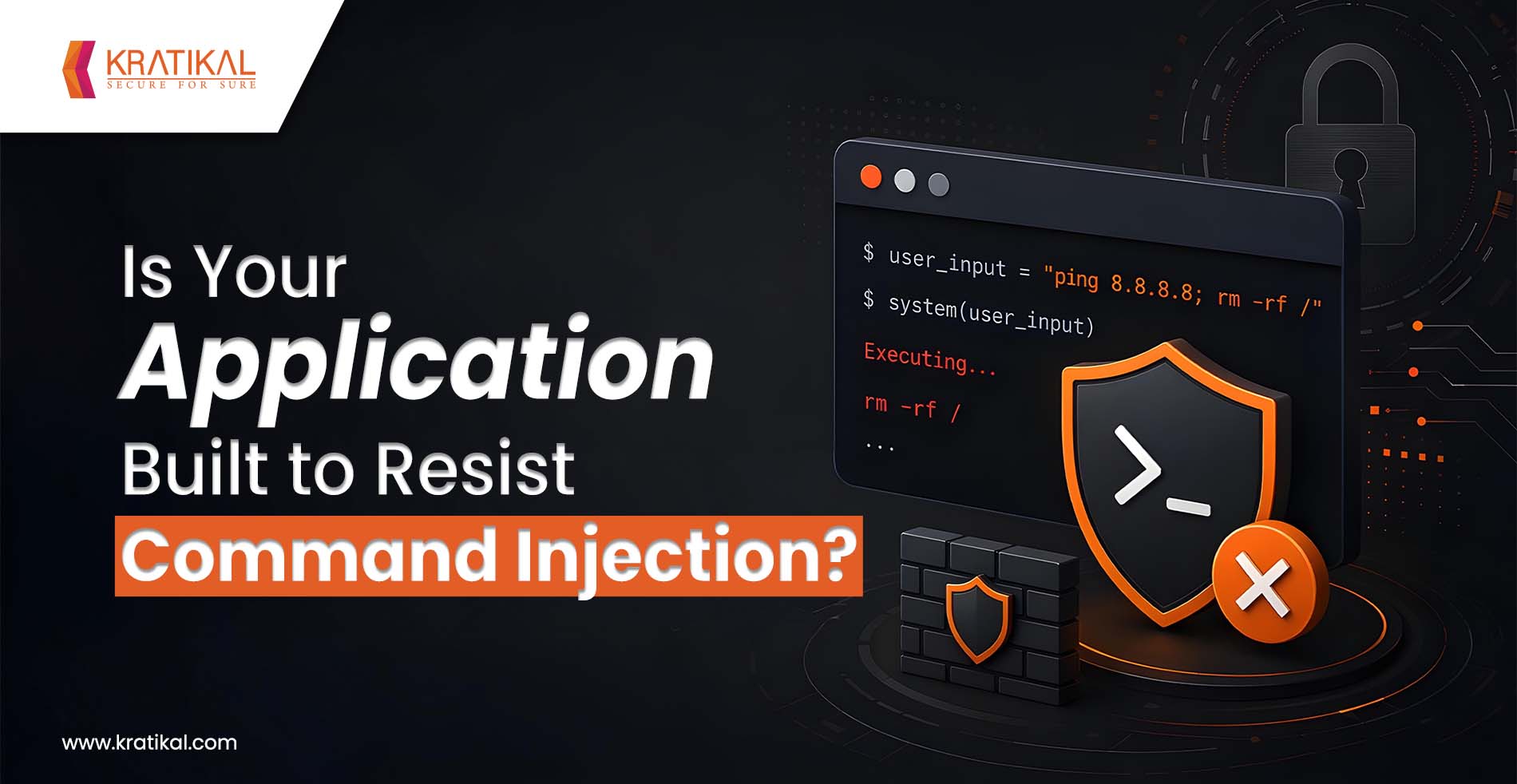
Every line of code written for an application has the potential to strengthen its security or become an entry point for attackers. A seemingly harmless feature that executes operating system commands can quickly turn into a critical vulnerability if user input isn’t handled securely. This is exactly how Command Injection Risks emerge, allowing attackers to execute unauthorized commands on a server and potentially gain complete control over the system.
From exposing sensitive data to deploying malware and disrupting business operations, the consequences of command injection can be severe. Fortunately, these vulnerabilities are largely preventable. By adopting Secure Coding Practices, developers can eliminate insecure coding patterns, minimize the attack surface, and build applications that are resilient against command injection attacks.
In this blog, we’ll explore how command injection vulnerabilities occur, the risks they pose, and the essential Secure Coding Practices that help eliminate them before they become a security incident.
Understanding the Impact of Command Injection Risks
Command injection occurs when an application constructs a system command using untrusted input and passes it directly to the operating system’s shell for execution. Unlike SQL injection, which is contained within a database context, command injection gives attackers direct interaction with the underlying operating system, file systems, network configurations, running processes, and, in many cases, the ability to pivot deeper into the network.
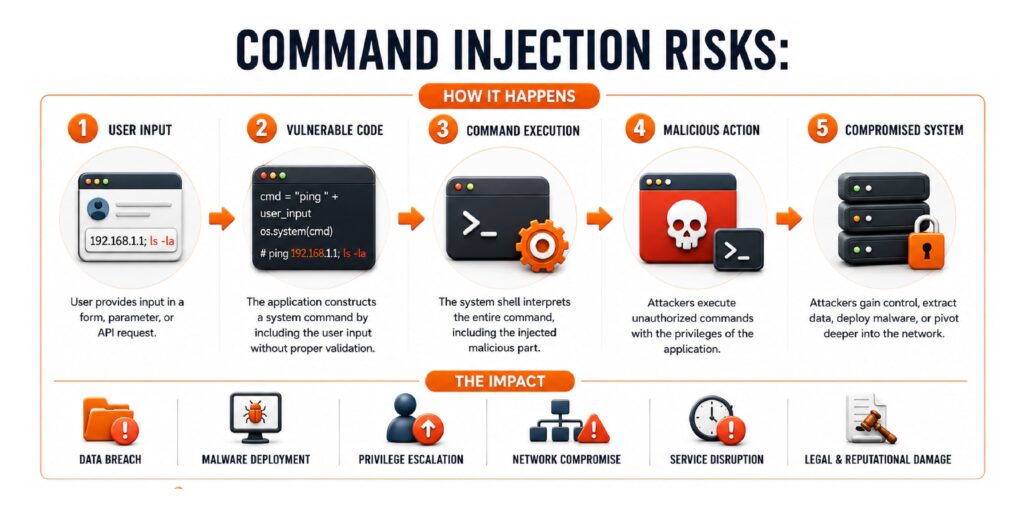
A single vulnerable function, often something as innocuous as a file-upload utility, a ping/diagnostic tool, or a log-processing script, can become the entry point for full system compromise. This is why command injection consistently appears in OWASP’s most critical vulnerability categories and why regulators such as RBI, SEBI, CSCRF, and IRDAI increasingly expect organizations to demonstrate secure development practices, not just perimeter defenses.
Core Secure Coding Practices
Eliminating command injection begins with adopting secure coding practices that prevent untrusted input from reaching the operating system.
1) Avoid Shell Execution Wherever Possible
The most reliable way to eliminate command injection is to avoid invoking the system shell at all. Most languages provide native libraries or APIs that accomplish the same task without shelling out.
- Use language-native file, network, and process libraries instead of shell commands
- Where system calls are unavoidable, use APIs that execute programs directly (e.g., execve-style calls) rather than functions that invoke a shell interpreter.
- In Python, prefer subprocess.run() with a list of arguments and shell=False over os.system() or subprocess.run(…, shell=True)
2) Treat All Input as Untrusted by Default
Every parameter, header, cookie, filename, or API payload that originates outside the application’s trust boundary should be treated as potentially malicious, regardless of where it appears to come from.
- Apply strict allow-listing rather than deny-listing (block-lists are trivially bypassed with encoding tricks, null bytes, or alternate shell metacharacters)
- Validate input against expected data types, formats, and length constraints before it reaches any execution logic
- Reject anything that doesn’t conform, rather than attempting to “clean” it
3) Use Parameterization and Safe APIs
Just as parameterized queries eliminate SQL injecion, passing arguments as discrete parameters, rather than concatenating them into a command string, eliminates the shell’s ability to reinterpret user input as a new instruction.
- Pass arguments as arrays/lists, never as a single interpolated string
- Avoid string concatenation or f-string formatting when building any command, file path, or query
- Where third-party libraries offer a “safe mode” or parameterized interface, use it as the default, not the exception.
4) Implement Strong Input Encoding and Escaping
When shell invocation genuinely cannot be avoided, proper escaping is a necessary, but secondary, control, not a primary defense.
- Use language- and library-specific escaping functions designed for the destination context (shell, not URL or HTML)
- Never rely on a custom-built sanitization regex for shell metacharacters; these are frequently incomplete and bypassable
- Escape only as a defense-in-depth layer, on top of parameterization and least privilege, not as a substitute for them.
5) Integrate Security Testing Into the SDLC
Command injection vulnerabilities are far cheaper to catch before deployment than after.
- Run Static Application Security Testing (SAST) tools in CI/CD pipelines to flag unsafe function calls (exec, eval, os.system, backtick operators) automatically
- Conduct Dynamic Application Security Testing (DAST) and manual penetration testing against staging environments before every major release
- Include command injection-specific test cases in code review checklists, particularly for any code touching file uploads, diagnostic tools, or third-party integrations
If you want to know about SAST and DAST, check out the blog on “Static vs Dynamic Android App Pentesting: How AutoSecT Combines Both”.
6) Monitor and Log Execution Behavior
Detection matters as much as prevention, especially for zero-day logic flaws that testing hasn’t caught yet.
- Log all system-level command executions with full context (input source, parameters, invoking user/process)
- Set up alerting for anomalous process spawning, especially shell processes launched by application service accounts
- Feed logs into a SIEM or SOC monitoring pipeline for correlation against known attack patterns

Book Your Free Cybersecurity Consultation Today!
What Happens When Command Injection Vulnerabilities Go Unchecked?
Command injection vulnerabilities can have devastating consequences. Attackers have exploited insecure command execution to compromise enterprise servers, deploy ransomware, steal customer data, and establish persistent access within corporate environments.
In cloud-native architectures, a single vulnerable application can become an entry point for compromising containers, virtual machines, storage services, and interconnected workloads. The financial impact extends beyond remediation costs to include regulatory penalties, operational downtime, reputational damage, and loss of customer trust.
As organizations increasingly automate infrastructure management and integrate third-party services, eliminating Command Injection Risks through proactive secure development becomes essential rather than optional.
Join our weekly newsletter and stay updated
Conclusion
Eliminating Command Injection Risks requires more than fixing vulnerabilities after they are discovered; it demands a proactive approach to secure software development. By embedding Secure Coding Practices into every stage of the SDLC, from input validation and safe API usage to continuous security testing, organizations can prevent command injection attacks before they occur.
Developers should also prioritize regular code reviews, dependency management, and developer security training to reduce the likelihood of introducing exploitable flaws. As applications become increasingly interconnected and cloud-native, the importance of secure coding continues to grow. Making security an integral part of the development process not only reduces the risk of command injection but also improves overall application resilience, supports regulatory compliance, and strengthens customer trust.
FAQs
- How can Secure Coding Practices prevent command injection?
Secure Coding Practices, such as input validation, avoiding shell execution, using safe APIs, implementing least privilege, and performing regular security testing, help eliminate command injection vulnerabilities.
- What is the most effective way to prevent command injection?
The best approach is to avoid executing operating system commands whenever possible and use language-native libraries or APIs instead.
- Is input validation alone enough to stop command injection?
No. While input validation is essential, it should be combined with parameterized APIs, proper escaping, least privilege, and continuous security testing for comprehensive protection.
- Which applications are most vulnerable to command injection?
Applications that execute system commands for tasks like file management, diagnostics, script execution, image processing, or server administration are more susceptible if they do not securely handle user input.
- How can organizations detect command injection vulnerabilities?
Organizations can identify these vulnerabilities through Secure Code Reviews, Static Application Security Testing (SAST), Dynamic Application Security Testing (DAST), and regular penetration testing.
- Why is command injection still a common vulnerability?
It often occurs due to insecure coding practices, insufficient input validation, unnecessary use of shell commands, and lack of security testing during the software development lifecycle.