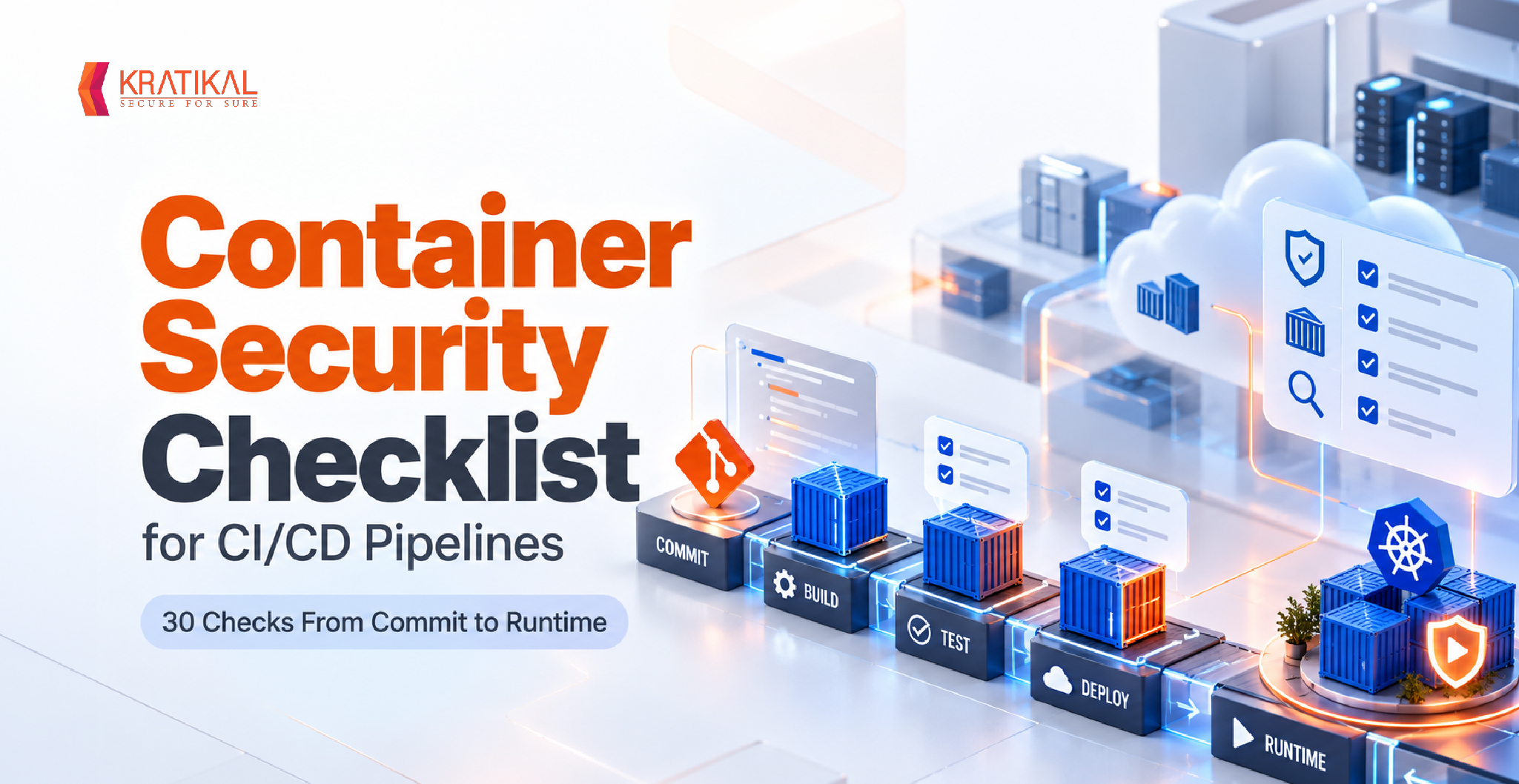
A container security checklist for CI/CD pipelines is a set of enforced checks that every container image must pass between a developer’s commit and a running workload: a pinned, minimal base image, no secrets in any layer, a hardened pipeline, a vulnerability scan that can fail the build, an SBOM, a signature, an admission policy at deploy, and runtime monitoring.
What separates a checklist from a list of best practices is enforcement. A checklist item in a pipeline blocks a merge, fails a build, or rejects a deployment when it is not met. The 30 checks below are organized by pipeline stage, each with the gate that enforces it.
Why Container Security Breaks Down in CI/CD Pipelines?
Container security breaks down in CI/CD pipelines because the pipeline is both the factory that builds every image and a high-privilege system in its own right. A weak build-time control gets copied into every replica that runs, and a compromised pipeline can sign and ship a malicious image that passes every downstream check.
Breach data points at both halves of that problem. Verizon’s 2026 Data Breach Investigations Report found that vulnerability exploitation overtook stolen credentials as the top initial access vector, at 31% of breaches, and that 48% of breaches involved a third party, up from 30% the year before. Base images, open-source packages, and third-party pipeline actions are exactly that third-party surface.
Sysdig’s 2025 Cloud-Native Security and Usage Report also found that image bloat had quintupled year over year, adding packages, CVEs, and attacker tooling. Dependencies are a common entry point for supply chain attacks, so teams must check container image security on every build, not once a quarter.
The Container Security Checklist at a Glance
The container security checklist below covers 30 checks across eight stages of a CI/CD pipeline. Each row lists one stage’s checks and where they are enforced; the stage sections that follow give each check its failure condition.
| Stage | What to check | Enforced at |
| 1. Dockerfile and base image | Base pinned by digest; minimal or distroless base; multi-stage build; non-root USER; .dockerignore excludes .env, keys, and .git | Dockerfile lint in pull request |
| 2. Secrets | BuildKit secret mounts, never ARG or ENV; layer-by-layer secret scan; leaked keys revoked and rotated | CI build job |
| 3. Pipeline | Actions pinned to a commit SHA; read-only default tokens; short-lived OIDC credentials; ephemeral runners; reviewed pipeline changes | Repository and runner settings |
| 4. Image scanning | OS and language dependency scan; KEV-listed findings block; exceptions carry an owner and expiry; manifests and Helm charts scanned | CI build job (blocking) |
| 5. SBOM and provenance | SPDX or CycloneDX SBOM; signed provenance attestation | CI build job |
| 6. Signing | Sign only after the scan passes; registry push limited to the pipeline; deploy by sha256 digest | Release job and registry |
| 7. Deployment | Signature verified at admission; restricted Pod Security Standard; capabilities dropped and read-only root filesystem; no docker.sock mounts; default-deny network policy | Admission controller |
| 8. Runtime | Detection for shells, drift, and escapes; daily registry rescans; human pentest of the deployed stack | Runtime sensor and scheduled testing |
Rolling out all 30 checks at once usually stalls. Enforce stages 1 to 3 first, since they are cheap and stop the most common leaks, then run the stage 4 scan gate in report-only mode for two weeks to tune exceptions before making it blocking.
Stage 1: Docker Security Best Practices for the Dockerfile and Base Image
Docker security best practices start in the Dockerfile, because every later control inherits what the Dockerfile puts into the image. The goal is an image that contains only what the application needs, built from a base you can identify exactly.
Pin the base image by digest. A tag such as python:3.12-slim can point to a different image tomorrow; python:3.12-slim@sha256:… cannot. The lint fails any FROM line that uses latest or a tag alone.
Choose a minimal or distroless base. Distroless and minimal images drop the shell and package manager, removing the tools an attacker relies on and cutting scan noise. Reject builds from any base outside an approved list.
Use multi-stage builds. Compile in a builder stage and copy only the binary into a clean runtime stage, so compilers and package managers never reach production.
Declare a non-root user. End the Dockerfile with a USER instruction for a dedicated high-UID user. A root container turns a container escape into a host compromise, so the check fails on a missing USER or USER root.
Exclude sensitive files. A .dockerignore that lists .env files, private keys, and .git keeps them out of every layer.
Lint in the pull request. Hadolint catches unpinned tags, missing USER instructions, and ADD from remote URLs before the build runs, the cheapest form of shift left security.
Book Your Free Cybersecurity Consultation Today!
Stage 2: How to Keep Secrets Out of Container Images
Secrets end up in container images because every Dockerfile instruction creates a permanent layer. A credential copied in and deleted in a later instruction still sits in the earlier layer, readable by anyone who can pull the image.
Flare’s Docker Hub research, published in December 2025, found 10,456 images uploaded in November 2025 exposing one or more secrets, with 42% containing five or more. The most common cause was a local .env file swept into the build context, and 75% of developers who removed a leaked secret never revoked or rotated the key.
Pass build-time credentials through BuildKit secret mounts (docker build –secret), which expose a value to a single RUN step without writing it to a layer. ARG and ENV are never safe for credentials, because both are recorded in image metadata. Load runtime secrets from a secrets manager at startup, and treat any leaked key as compromised, since deleting the image does not invalidate it.
Stage 2 checks and their failure conditions:
· BuildKit secret mounts for build credentials. Fails when ARG or ENV carries a credential.
· Secret scan across every image layer in CI. Fails on any verified secret.
· Leaked keys revoked and rotated, not just deleted. Fails when a removed key is still valid.
The same path exposes keys in other tools too; see our guide to cloud credential exposure.
Stage 3: CI/CD Security for the Pipeline That Builds Your Containers
CI/CD security matters to container security because the pipeline holds the keys to the registry, the cloud account, and often the signing identity. An attacker who controls one pipeline step can ship anything through it.
The OWASP CI/CD Top 10 names these patterns, including poisoned pipeline execution, insufficient credential hygiene, and dependency chain abuse. The March 2025 compromise of the tj-actions/changed-files GitHub Action, tracked by CISA as CVE-2025-30066, showed several at once: the action was altered to print CI secrets into workflow logs, and teams referencing it by a mutable tag pulled the malicious code automatically. Pinning to a full commit SHA would have prevented that, as our breakdown of CI/CD pipeline attacks explains.
| Check | Enforced at | Fails when |
| Third-party actions pinned to a full commit SHA | Workflow lint | Action referenced by tag or branch |
| Default pipeline token set to read-only | Repository settings | Jobs inherit write-all permissions |
| Cloud and registry access through short-lived OIDC credentials | Pipeline template | Long-lived keys stored as CI secrets |
| Ephemeral, isolated build runners | Runner configuration | Untrusted code runs where production credentials live |
| Reviewed changes to pipeline definitions | Branch protection | Workflow file merged without review |
Stage 4: Container Image Security Scanning That Can Fail the Build
Container image security scanning only reduces risk when the result can stop a build. Run the scan on the built image inside the CI job, before it reaches a production registry, and let its exit code decide whether the pipeline continues.
Scan both operating system packages and language dependencies such as npm, PyPI, Maven, and Go modules, where a malicious open-source package can hide. Scan manifests and Helm charts too, because a clean image deployed with privileged: true is not a clean deployment.
A CVSS-only threshold blocks too much and too little. A workable gate blocks any finding in the CISA Known Exploited Vulnerabilities (KEV) catalog regardless of score, blocks critical findings that have a fix, and blocks fixable high findings after a grace period such as 7 days. Unfixable critical or high findings pass only through a recorded exception; medium and low findings go to the team backlog, and a verified secret always blocks.
| Check | Enforced at | Fails when |
| OS package and language dependency scan | CI build job | Gate threshold exceeded |
| KEV-listed vulnerabilities block regardless of CVSS | CI build job | Any KEV match |
| Exceptions carry an owner and expiry date | Policy file in version control | Expired or ownerless exception |
| Manifests and Helm charts scanned | CI build job | Privileged or hostPath settings found |
An exception without an expiry becomes a permanent hole, so keep the exception file in version control and review it like code. To rank what remains, use EPSS and CVSS prioritization.
Stage 5: Generate SBOMs and Build Provenance for Every Image
A software bill of materials (SBOM) is the inventory of every package and version inside a container image, and build provenance is a signed record of how, where, and from which commit the image was built. Together they answer two incident questions fast: are we running the affected package, and did our pipeline build this image?
Generate the SBOM in CI, in SPDX or CycloneDX format, and attach it to the image as an attestation. When a new CVE lands, a registry-wide SBOM query finds every affected image in minutes. The SLSA framework sets provenance levels: Build L1 requires provenance to exist, Build L2 requires a hosted platform to generate and sign it, and Build L3 requires a hardened build platform. Most teams reach L2 with their CI platform’s native attestations, which closes the gap exploited in artifact poisoning.
Stage 5 checks, both enforced in the CI build job:
· SBOM in SPDX or CycloneDX attached to the image. Fails when the artifact has no SBOM.
· Signed build provenance attestation. Fails when no attestation is attached.
Stage 6: Sign Container Images and Deploy by Digest
Image signing proves that a specific image digest was produced and approved by your pipeline. Sign in the release job only after scanning, SBOM, and provenance pass, so a valid signature means the image cleared every earlier gate.
Keyless signing with Sigstore’s cosign removes the need to protect a long-lived private key: the pipeline’s OIDC identity requests a short-lived certificate, signs the digest, and records it in a public transparency log. The Kubernetes security checklist recommends referencing images by digest or verifying signatures at admission; doing both stops a tag being repointed after review.
Stage 6 checks and their failure conditions:
· Image signed only after earlier gates pass. Fails when an unsigned image is pushed.
· Registry push limited to the pipeline identity. Fails when human accounts can push to production repositories.
· Workloads reference images by sha256 digest. Fails on a tag-only image reference.
Join our weekly newsletter and stay updated
Stage 7: Enforce Container Security Policy at Deployment
Admission control is the last point where a misconfigured or unsigned container can be stopped before it runs. In Kubernetes, an admission controller or policy engine evaluates every pod specification and rejects the ones that fail.
Start with the built-in Pod Security Standards. The restricted profile requires pods to run as non-root, drop all Linux capabilities, disallow privilege escalation, and use a seccomp profile. Enforce it on production namespaces, then add policy rules for CPU and memory limits and a ban on hostNetwork, hostPID, and privileged: true outside a reviewed allowlist. A mounted /var/run/docker.sock gives a container control of the node and must always be rejected.
| Check | Enforced at | Fails when |
| Image signature and provenance verified | Admission controller | Verification fails or signer does not match |
| Restricted Pod Security Standard enforced | Namespace labels | Privileged or root pod |
| Capabilities dropped and read-only root filesystem | Admission policy | securityContext missing either setting |
| No Docker socket or sensitive host path mounts | Admission policy | docker.sock or hostPath mounted |
| Default-deny network policy per namespace | Cluster policy | Namespace without a NetworkPolicy |
Testers probe these settings first when hunting privilege escalation paths.
Stage 8: Runtime Monitoring and Continuous Registry Rescanning
Runtime monitoring catches what passed every build gate and still misbehaves in production: a shell spawned in a container, a binary that was not in the image, or an outbound connection to an unknown host. Because containers should be immutable, any drift is a signal. An eBPF-based sensor such as Falco can alert on these behaviors, and real-time cloud monitoring keeps the alert volume manageable.
Rescanning is the other half. An image that passed its build scan last month can carry a critical CVE published today, so rescan every deployed container image at least daily and map findings to running workloads through the SBOM. Sysdig’s 2025 report found organizations had cut critical and high vulnerabilities in use at runtime to under 6%, a result of prioritizing loaded packages over everything on disk.
Stage 8 checks for production workloads:
· Runtime detection for shells, drift, and escapes. Fails when an alert goes untriaged.
· Deployed images rescanned at least daily. Fails when a new critical CVE lands on a running image.
· Deployed stack tested by a human attacker. Fails when an exploitable path is confirmed.
Why a Clean Image Scan Is Not Proof a Container Is Secure
A clean image scan proves that no known vulnerable package version was found. It does not prove the running service is secure, because the most damaging container findings are combinations: an exposed internal API, an over-privileged service account token, a writable host path, and a missing network policy, each minor alone and together a path from one pod to the whole cluster.
Scanners match versions against advisories. They do not chain misconfigurations, test application logic, or attempt a container escape, which is why vulnerability management needs continuous pentesting rather than an annual test.
Kratikal’s Penetration Testing as a Service combines automated scanning with manual exploitation and integrates with CI/CD, so testing follows your release cadence instead of the calendar. Each finding comes with a proof of concept showing what an attacker could reach, and is retested on demand after your developers patch it, so it closes only when the fix is verified.
How the Checklist Maps to NIST SP 800-190 and the CIS Docker Benchmark
The checklist aligns with the two references auditors most often cite for containers. NIST SP 800-190 organizes container risk into images, registries, orchestrators, containers, and host operating systems, and the CIS Docker Benchmark provides auditable host, daemon, image, and runtime configuration checks.
| NIST SP 800-190 risk area | Checklist stages | CIS Docker Benchmark coverage |
| Image risks | Stages 1, 2, 4, and 5 | Image and build file configuration |
| Registry risks | Stages 6 and 8 | Image trust and content verification |
| Orchestrator risks | Stage 7 | Limited; see the CIS Kubernetes Benchmark |
| Container risks | Stages 7 and 8 | Container runtime configuration |
| Host OS risks | Outside the pipeline | Host and Docker daemon configuration |
The mapping shows auditors which gate satisfies which control, and flags host hardening as needing separate evidence. Some stages appear twice because one gate, such as signature verification, reduces more than one risk area.
Putting the Container Security Checklist Into Practice
A container security checklist earns its value only when each item is a gate, not a guideline. Start with digest-pinned minimal base images, secret scanning, SHA-pinned actions, and a scan gate for KEV-listed and fixable critical vulnerabilities, then add signing, admission control, and runtime detection.
Automated gates keep known risks out of the pipeline, but they cannot show which path through your deployed containers an attacker would take. Kratikal’s continuous penetration testing tests the running stack as it changes and retests every fix, so your container security posture is verified, not assumed. Talk to the Kratikal team to scope testing around your next release.
FAQs
- What Is a Container Security Checklist?
1. What Is a Container Security Checklist?
A container security checklist is a structured list of controls that container images, pipelines, registries, and running workloads must meet. In CI/CD, each item is tied to an enforcement point, such as a Dockerfile lint, scan gate, signature check, or admission policy, so a failed check blocks the build or deployment instead of producing an unread report. - How Do You Secure Containers in a CI/CD Pipeline?
Secure containers in a CI/CD pipeline by enforcing checks at each stage: pin minimal base images by digest, keep secrets out of layers, pin third-party actions to commit SHAs, fail builds on known exploited or fixable critical vulnerabilities, generate SBOMs and provenance, sign images, verify signatures at admission, and monitor containers at runtime.
- How Do You Keep Secrets Out of Docker Images?
Keep secrets out of Docker images by excluding .env files and keys with .dockerignore, passing build credentials through BuildKit secret mounts instead of ARG or ENV, and loading runtime secrets from a secrets manager. Scan every image layer before pushing, and rotate any leaked key, since deleting it leaves earlier layers exposed.
- What Are the Most Important Docker Security Best Practices?
The most important Docker security best practices are minimal base images pinned by digest, multi-stage builds, a non-root user, no secrets in image layers, CI scanning with a blocking policy, image signing, dropped Linux capabilities, a read-only root filesystem, and never mounting the Docker socket into a container.